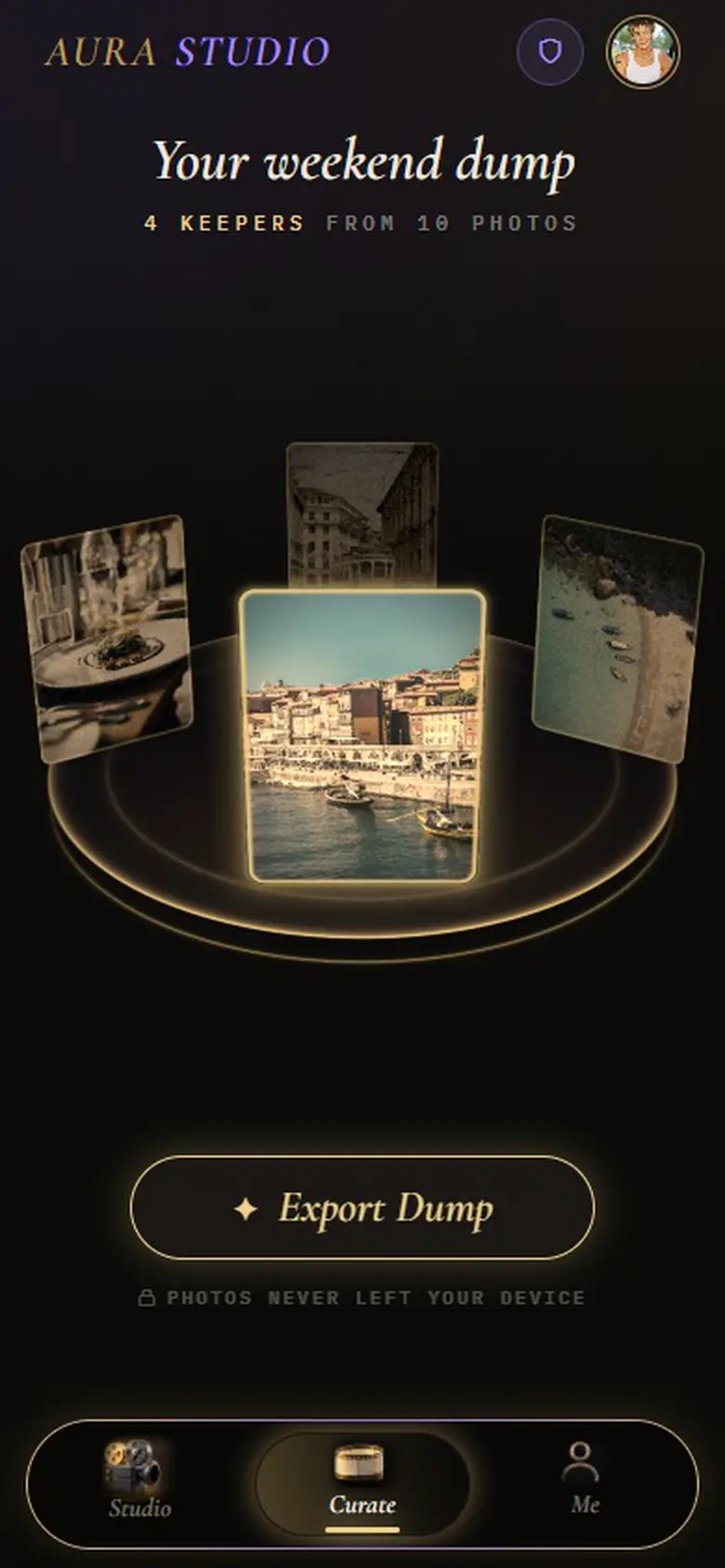
What Aura does
- Reads your camera roll. Every photo is measured for exposure, contrast, colour and sharpness (a score out of 100), and a small model in your browser notes what is in it: people, food, a view, a close detail, a candid moment.
- Chooses for the story. You choose how many photos the post should have, up to 4 per dump on Free or 10 on Pro. Aura picks the ones that add the most to the trip: moments, your taste, a mix of wide shots, people, food and details, a good opener and closer. Quality counts, but a soft or dark photo that feels like the trip stays in.
- Edits them as a set. The vibe you pick sets one colour grade, applied to every keeper, and each photo is cropped to Instagram’s 4:5 portrait size.
- Learns your taste. What you keep, heart, take out and change builds a Taste Profile on your device. It nudges the ranking, the mix and the order, and sets the finish (warmth, grain, fade). You can read it in plain sentences and correct it.
- Explains itself. Each slide says why it is there, in plain words: “This opens with the view that sets the mood”, “This close-up breaks up the landscapes”. Say “Not this one” and the next-best photo for that slide takes its place.
- Prepares the post. You see an Instagram preview, get a caption written for the vibe and export the photos with the caption copied.
The longer explanations are in the guides: the camera roll to photo dump overview, how Aura’s photo selection works, making a carousel cohesive, planning a dump before you post it and how the editing works.
What Aura isn’t
Aura is deliberately narrow. It isn’t a general photo editor: there are no layers, masks or retouching tools, and it doesn’t edit RAW files. It doesn’t generate or alter what’s in your pictures. It isn’t a social network, it doesn’t log in to Instagram or post for you, and it doesn’t schedule posts or plan your profile grid. It chooses, finishes and packages one post at a time.
How it chooses photos
Aura doesn’t just keep the best-looking frames. It builds the set one photo at a time, asking what each candidate adds: a moment or a feeling, a match with your taste, something the set doesn’t have yet, variety (wide shots, people, food, details, interiors), and whether it could open or close the carousel. Image quality is one input, weighted less if your taste runs raw, and a soft, grainy or dark photo is never thrown out just for being imperfect.
The score is image analysis, not opinion. Aura measures how well exposed each photo is, how much contrast and colour it has, and how sharp it is, and combines those into one score out of 100. It stays the measurement of the photo whatever else decides the pick.
Aura also learns your taste. A small model running in your browser reads what is in each photo — people, food, landscapes, close details, candid moments — without identifying anyone, and Aura compares that with what you keep, heart, take out and change. Your Taste Profile then nudges the ranking (shown next to the score, never mixed into it), the mix and order of the carousel, the finish and, on Pro, the caption voice. It stays on your device, and you can correct it or switch it off.
It steers away from near-repeats (frames taken seconds apart, or that read and look alike), but it doesn’t compare images pixel by pixel, doesn’t judge composition and doesn’t know who is in a photo. The final say stays yours: you can skip photos before analysis, and afterwards say “Not this one” to any slide or swap photos in and out by hand. More on how the selection works.
Free and Pro
| Free | Pro | |
|---|---|---|
| Photos per dump | Up to 4 | Up to 10 |
| Vibes | Today’s 6 trending | All 18 |
| Choosing | The full story-led choice, reasons for every slide, “Not this one” swaps, order and score | Plus S, A, B and C letter grades |
| Captions | 1, in your voice | 3 in your voice: short, observational, playful |
| Hashtags | — | Included |
| Curation history | Last 3 | Full |
| Taste Profile | Learns, corrects and shapes every dump; first 3 observations shown | The full profile, plus captions written in your voice |
Free needs no account. Pro is $6.99 a month, $49 a year, or a one-time $29 founding plan while it’s offered (prices in US dollars, as shown in the app).
Your photos and privacy
- Analysis and editing happen on your device. Scoring, recognition, choosing, colour grading and cropping all run in your browser. Your photos aren’t uploaded to Aura or anyone else for any of it.
- Captions are written from text, not images. To write a caption, Aura sends a short text prompt (your vibe, how the trip felt, a few words on what kind of photos you kept, how you caption — your chosen tone and any description or example captions you typed in — and any words you added about the trip) to Anthropic’s Claude model. No image data is included.
- Exports go to you. Finished photos go to your phone’s share sheet or download to your device. Aura doesn’t connect to Instagram.
- No account needed on Free. Your recent curations are kept in your browser. Before an export Aura offers an account, which keeps your curation history on every device; “Export without an account” is always there, and after two skips it stops asking.
- Pro uses an account. Pro asks you to sign in with your email and a one-time code, so the plan works on any device; payment is handled by Stripe. While you’re signed in, your curation history syncs to your account: the vibe, caption, hashtags and scores of each dump, never the photos.
- Analytics. Aura is hosted on Vercel and uses Vercel Web Analytics to count page views and a few anonymous product events, such as a dump being exported.
Where it runs
Aura is a web app at auramobile.vercel.app. It runs in the browser on phones and computers, so there’s nothing to install. Questions: support.auramobile@protonmail.com.
Try it on your own camera roll
Pick a vibe, drop in the photos and see which ones Aura keeps. It’s free, it runs in your browser, and there’s nothing to install.