The hard part of a photo dump is choosing
A photo dump is meant to look effortless, but the work behind it is choosing. A weekend leaves you with a few hundred frames: bursts of near-identical shots, a handful that came out dark or soft, and a dozen good ones you can’t tell apart at thumbnail size. You’re also judging your own memories, which makes every photo feel like it deserves a slot.
Then the set has to hold together. Photos that look fine on their own can clash when they sit side by side in a carousel, each with a different colour cast. Most people solve this by scrolling back and forth until they give up, or by posting nothing.
Curation first, editing second
Most photo apps start with editing: filters, sliders and presets, one photo at a time. Aura starts a step earlier, with deciding which photos deserve a place. Editing only happens to the photos that made the cut, and it’s a single decision (the vibe you pick) rather than a stack of adjustments repeated on every image.
What Aura does with your roll
- Pick a vibe. Choose from preset vibes such as golden hour, euro summer or film noir. The vibe decides the colour grade for the whole set.
- Drop in the camera roll. Add as many photos as you like. Aura scores each one in your browser as it arrives. Tap any photo you already know you don’t want.
- Choose how many to post. Up to 4 per dump on Free, up to 10 on Pro.
- Analyse. Aura reads the roll (light, sharpness, colour), ranks it, keeps the strongest photos and applies the grade.
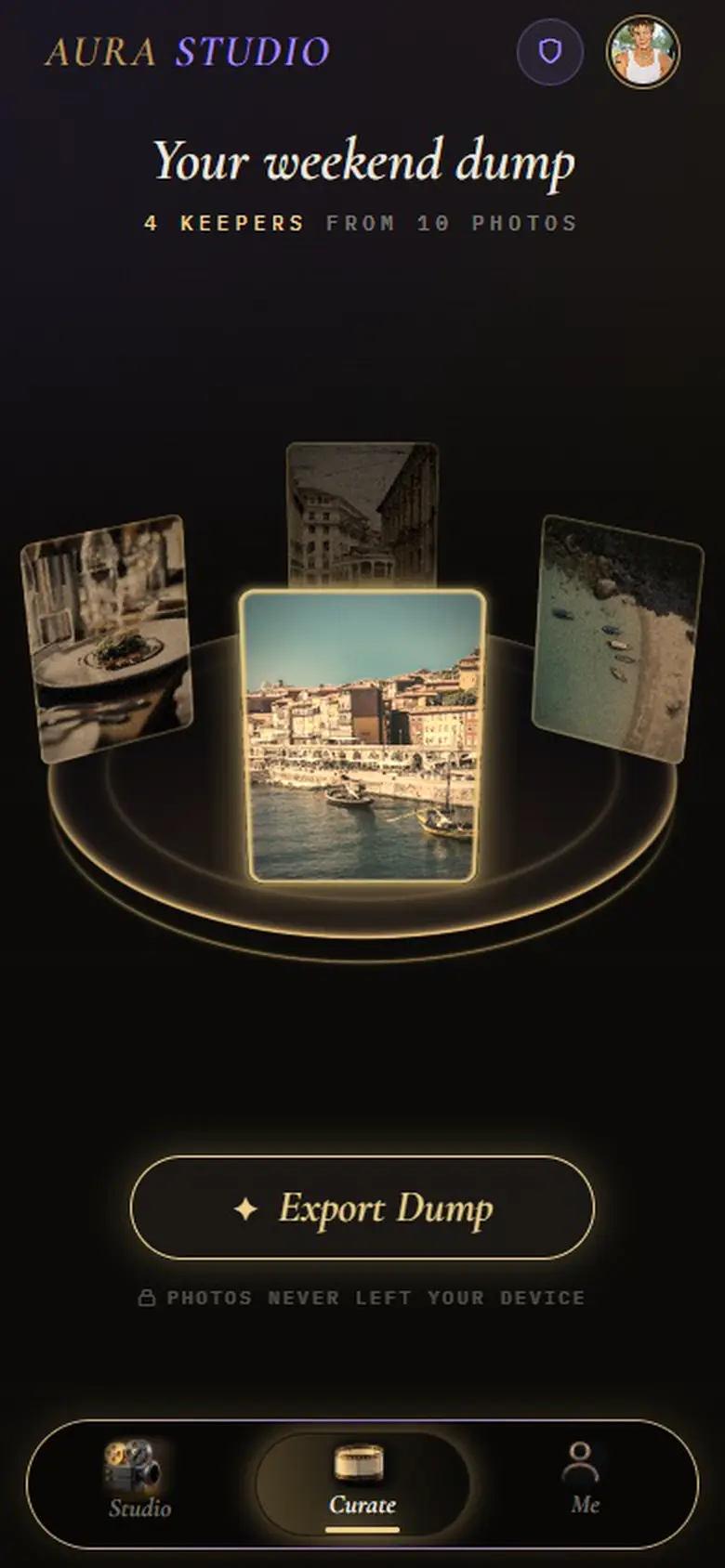
- Curate. The keepers appear strongest first, so your best photo is the cover. Change the cover, reorder, or swap a photo in or out, and check the post in an Instagram preview.
- Export. Send the finished photos to your phone’s share sheet or download them, with the caption copied and ready to paste.
What you end up with
A finished set: the photos you’re posting, in order, all in the same grade and all cropped to Instagram’s 4:5 portrait size (1080 × 1350), plus a caption written for the vibe. Aura even names the dump from when the photos were taken, such as “Your weekend dump”, reading the dates from the files on your device.
How Aura differs from a photo editor
| Aura | A typical photo editor | |
|---|---|---|
| Starts from | Your whole camera roll | One photo you already chose |
| Main job | Choosing and finishing a set for one post | Adjusting individual images |
| Editing | One grade from your vibe, applied to every photo, plus brightness and warmth | Many manual controls per photo |
| You finish with | An ordered 4:5 set and a caption | Edited photos you still have to sequence |
If you need retouching, masks or RAW development, use a full editor; Aura isn’t trying to replace one.
Who it’s for
People who shoot a lot and post a little: after a trip, a wedding weekend, a festival or an ordinary Saturday. It suits anyone whose carousels end up looking like five different filters, and anyone who has a folder of “I’ll post these later” photos. It’s built around posting to Instagram, so it isn’t meant for archiving or organising a whole library.
Your photos are processed in your browser
Aura analyses, ranks, grades and crops your photos inside your browser. They aren’t uploaded to do any of that. When it writes a caption, it sends a short text description (your vibe and a one-line reading of each keeper) to an AI model, never the images. The full detail, including what changes if you sign in for Pro, is on the About Aura page.
Questions
What’s a good app for choosing photos for an Instagram photo dump?
If your problem is choosing rather than editing, use a tool built for selection. Aura was made for exactly that: you add the whole camera roll, it ranks every photo on exposure, contrast, colour and sharpness, keeps the strongest few, and finishes them as one set for a single Instagram post.
Is Aura free?
Yes. Free makes dumps of up to 4 photos with today’s six trending vibes and one caption, and needs no account. Pro raises the limit to 10 photos, unlocks all 18 vibes, three caption voices and hashtags.
Does Aura post to Instagram for me?
No. Aura never connects to your Instagram account. It saves the finished photos to your device or your share sheet and copies the caption, and you post them yourself.
Do I need to install anything?
No. Aura runs in your browser on a phone or a computer.
Try it on your own camera roll
Pick a vibe, drop in the photos and see which ones Aura keeps. It’s free, it runs in your browser, and there’s nothing to install.