What makes a set feel cohesive
When a carousel feels off, it’s usually one of four things:
- Colour. Each photo has its own white balance and its own filter, so swiping feels like changing rooms. A shared grade fixes this more than anything else.
- Shape. A carousel shows every slide in one shape, so mixed square, portrait and landscape frames get cropped in ways you didn’t choose. Cropping every photo to the same 4:5 portrait shape, Instagram’s standard tall format, avoids it.
- The first frame. The cover decides whether anyone swipes. It should be your strongest photo, not your first.
- Order and variety. Five near-identical shots in a row read as indecision. A good sequence moves between wide and close, people and places.
How Aura handles each one
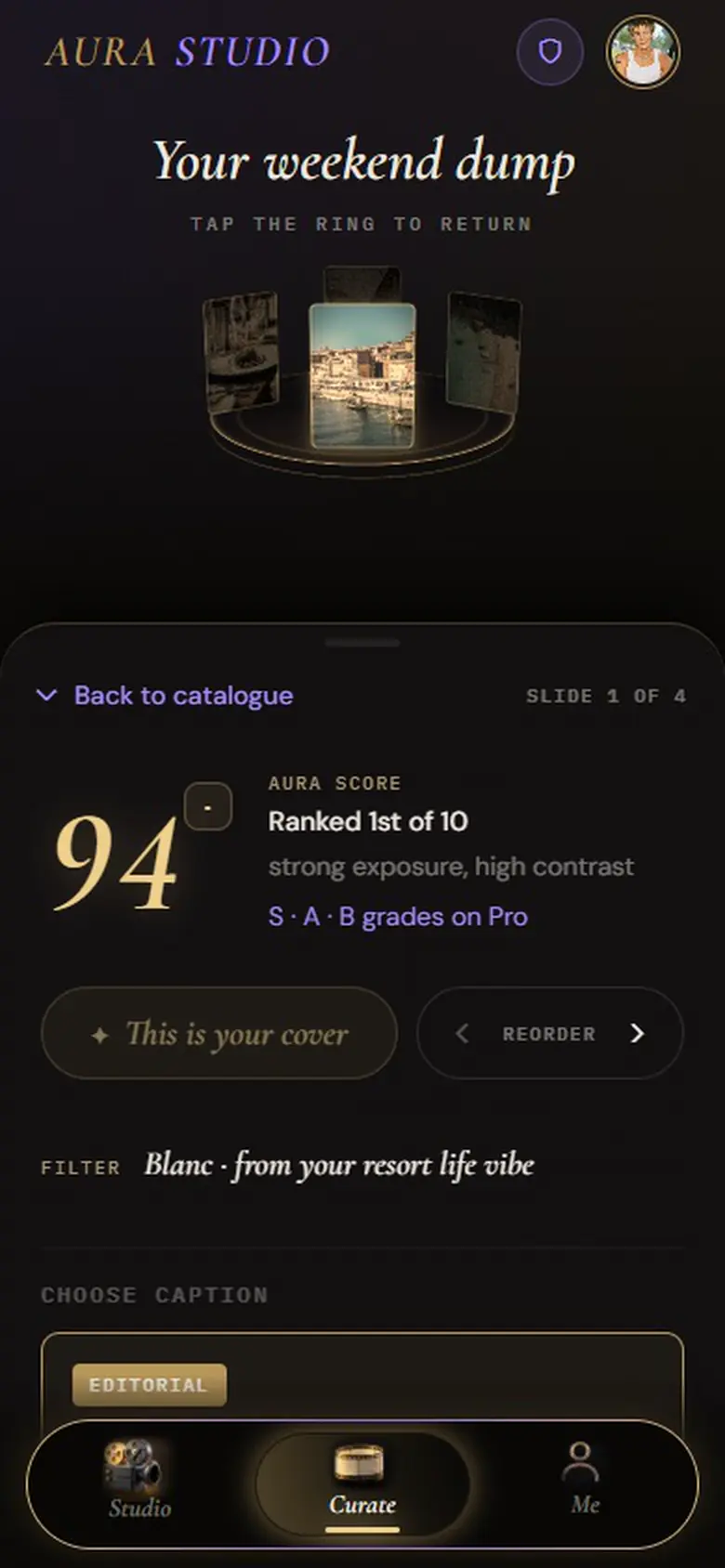
Colour: you pick a vibe, and the vibe sets one colour grade that’s applied to every photo in the set. There’s no second filter picker to fight it. Shape: every keeper is centre-cropped to 4:5 at 1080 × 1350. Cover: keepers are ordered strongest first, so the top-scoring photo leads, and you can make any other photo the cover. Order: you can reorder the set and swap photos in or out before you export.
The one thing Aura doesn’t judge is variety of subject. It measures image quality rather than content, so it can’t tell that two photos show the same moment. If two near-duplicates both make the cut, swap one out.
The grades behind the vibes
Aura has 18 vibes, and each maps to one of five grades:
| Grade | Look | Vibes that use it |
|---|---|---|
| Amalfi | Brighter and warmer, richer colour, a soft amber wash | golden hour, euro summer, boho desert, gilded era |
| Parisian | Cooler and a touch darker, a blue cast, gentler colour | coastal vibes, alpine winter, cyberpunk, Y2K |
| Noir | Darker, higher contrast, muted colour | city nights, london mafia, tokyo streets, milan runway, industrial |
| Blanc | Bright and airy, softer contrast, quieter colour | resort life, tropical days, clean girl |
| Analogue | Faded and warm-brown, like old film | dark academia, film noir |
Free shows six trending vibes that rotate daily; Pro shows all 18.
Choosing which photos to post
Cohesion only helps once the right photos are in the set. Aura ranks your whole roll so the obviously weaker frames (underexposed, flat or soft) fall to the bottom on their own. For the reasoning behind a good pick, read how to choose the best photos for Instagram. For how the ranking itself works, see AI photo selection for Instagram.
Your photos are processed in your browser
Aura analyses, ranks, grades and crops your photos inside your browser. They aren’t uploaded to do any of that. When it writes a caption, it sends a short text description (your vibe and a one-line reading of each keeper) to an AI model, never the images. The full detail, including what changes if you sign in for Pro, is on the About Aura page.
Questions
How do I make an Instagram photo dump cohesive?
Give every photo the same colour grade, crop them all to the same 4:5 portrait shape, lead with your strongest image and avoid runs of near-identical shots. Aura does the first three automatically: the vibe you pick sets one grade for the whole set, every keeper is cropped to 4:5, and the highest-scoring photo becomes the cover.
How do I make a cohesive Instagram carousel?
The same principles apply to any carousel: one grade, one crop, a strong first slide and a deliberate order. In Aura you can change the cover and reorder the slides before exporting.
Can I use my own filter instead of a vibe?
No. In Aura the vibe is the grade, and you can fine-tune brightness and warmth. If you want full manual control over colour, a traditional editor is the better tool.
Try it on your own camera roll
Pick a vibe, drop in the photos and see which ones Aura keeps. It’s free, it runs in your browser, and there’s nothing to install.